
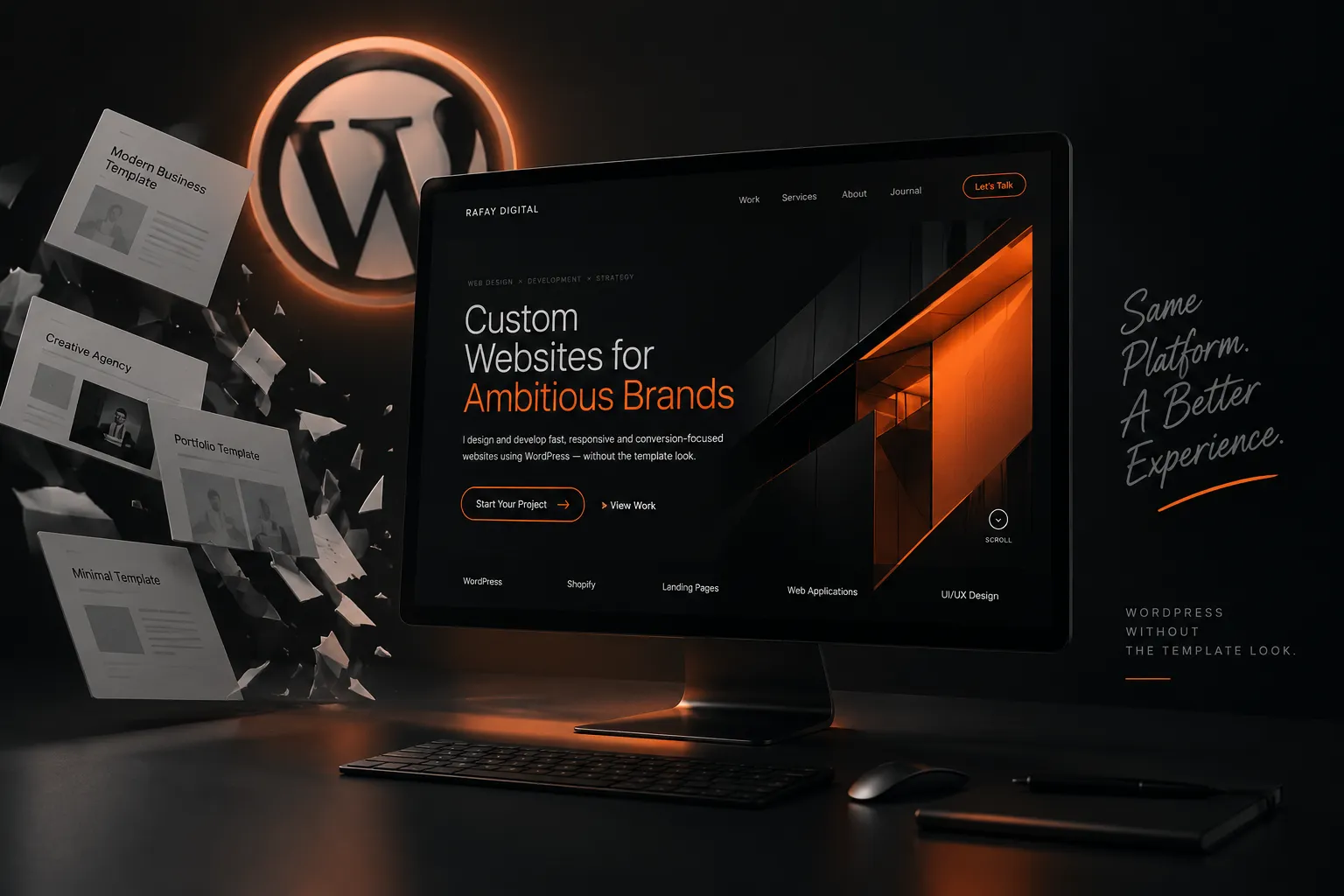
There is a certain type of website that people immediately recognise as WordPress.
The same hero layout.
The same cards.
The same spacing.
The same animations.
The same header.
The same footer.
And because so many websites are built this way, WordPress sometimes gets blamed for websites feeling generic.
But WordPress is not really the problem.
The way the website is designed and built is.
WordPress can be the foundation behind a completely personalized digital experience while giving a business the flexibility to manage its own content after launch.
That combination is one of the main reasons I continue using it for many of the websites I build.
WordPress Is the System, Not the Design
WordPress is a content management system.
It does not dictate what your website needs to look like.
The visual experience comes from decisions made around:
- layout;
- typography;
- spacing;
- imagery;
- responsive behaviour;
- animation;
- content structure;
- interaction;
- and development.
Two websites can both run on WordPress while looking and behaving completely differently.
That is how I prefer to approach it.
Instead of starting with:
“What WordPress template should I use?”
I prefer starting with:
“What should this particular brand feel like online?”
The technology comes after the direction.
Start With the Brand
Before building pages, there needs to be a clear visual direction.
What type of business is this?
Who is visiting?
What should they notice first?
Should the experience feel minimal?
Editorial?
Corporate?
Creative?
Luxury?
Technical?
Energetic?
The answers influence practically every design decision that follows.
A personalized WordPress website should feel connected to the brand behind it rather than connected to whichever theme happened to be installed.
That means choosing typography intentionally.
Using the right amount of whitespace.
Creating a consistent visual hierarchy.
Designing sections around the actual content.
And deciding where motion or interaction genuinely improves the experience.
Elementor Is a Tool — Not a Design Style
I use Elementor for many WordPress projects.
And yes, Elementor websites can sometimes look extremely similar.
But that is usually because the same widgets, presets and layout patterns are being used repeatedly.
Elementor itself is simply a tool.
You can use it to assemble a standard template.
Or you can use it as the foundation for something much more customized.
I often combine Elementor with custom CSS, custom PHP, JavaScript and WordPress functionality when a design needs something beyond the standard builder controls.
That makes it possible to create things such as:
- custom animated sections;
- interactive project galleries;
- unique card layouts;
- custom post displays;
- advanced responsive behaviour;
- sticky experiences;
- custom sliders;
- dynamic content;
- specialized landing pages;
- and personalized navigation systems.
The page builder makes content management easier.
Custom development makes the experience more distinctive.
The two can work together.
Build Sections Around Content
A common template-first workflow looks like this:
Choose a template.
Import it.
Replace the logo.
Change the colours.
Replace the stock images.
Rewrite the placeholder text.
Launch.
It is fast.
But the website is still fundamentally built around somebody else’s structure.
I prefer working in the opposite direction.
First understand what needs to be communicated.
Then determine what sections are actually necessary.
Then design those sections around the content.
For one business, trust may need to appear immediately.
Another may need to showcase its work first.
An ecommerce brand may need products visible almost instantly.
A consultant may need to communicate expertise before asking for an enquiry.
There is no universal homepage structure.
A custom WordPress site should reflect that.
Responsive Design Needs Real Decisions
Making something responsive involves much more than switching columns from horizontal to vertical.
Desktop and mobile are different environments.
A large heading that looks impressive on desktop may dominate the entire phone screen.
A hover interaction becomes useless on touch devices.
A complicated animation may become distracting or slow.
Large background elements can cause overflow.
Cards may need different spacing.
Navigation may need to behave completely differently.
The best responsive websites do not feel like smaller desktop websites.
They feel intentionally designed for the screen being used.
This is why I treat responsive development as part of the design process rather than something that happens after the desktop version is complete.
Performance Still Matters
There is another criticism often attached to WordPress:
WordPress websites are slow.
They certainly can be.
Install too many plugins, upload enormous images, add unnecessary scripts, use badly optimized animations and combine multiple page builders and almost any website will struggle.
But again, the platform is only part of the equation.
The way the website is built matters much more.
For WordPress projects, I try to keep functionality intentional.
If something can be handled cleanly without installing another large plugin, that is usually worth considering.
Images should be optimized.
Unused assets should be avoided.
Animations should be designed with performance in mind.
Responsive behaviour should not require loading unnecessary content.
A visually ambitious website can still feel fast when performance is considered during development instead of after everything has already been built.
The Client Should Still Be Able to Manage It
There is another side to custom development that is easy to overlook.
The website needs to remain practical after launch.
A beautiful site becomes frustrating if the owner cannot update basic information without contacting a developer every time.
This is one of the areas where WordPress becomes particularly useful.
I can create a more personalized front-end experience while keeping important content manageable through WordPress.
Depending on the project, that might include:
- blog posts;
- projects;
- services;
- products;
- testimonials;
- team members;
- case studies;
- FAQs;
- or other recurring content.
The goal is not just to make the website look custom.
The goal is to keep it usable.
Custom Does Not Mean Complicated
There is sometimes an assumption that a personalized website needs to be complicated.
I don’t agree.
Some of the strongest digital experiences are actually quite simple.
The difference is that the details have been considered.
The typography feels right.
Spacing is consistent.
Movement has purpose.
The content flows naturally.
Images have room to breathe.
The interface responds properly.
Nothing feels like it was added simply because there was space available.
Customization should make the website feel more appropriate for the brand, not more complicated for the visitor.
WordPress Works Well for the Right Projects
I do not believe every website should automatically be built with WordPress.
The platform should fit the project.
For many business websites, portfolios, service websites, content-driven websites and campaign experiences, WordPress provides a useful balance between flexibility and manageability.
Shopify may make more sense for certain ecommerce projects.
A specialized web application may need an entirely different technology stack.
A focused landing page may not require a complicated CMS at all.
The question should never simply be:
“Is WordPress good?”
The better question is:
“Is WordPress the right foundation for what this website needs to achieve?”
The Platform Should Disappear
Ideally, visitors should not be thinking about what platform a website uses.
They should be thinking about the business.
The work.
The product.
The story.
The experience.
The technology should sit quietly underneath everything and allow the design to do its job.
That is ultimately how I look at WordPress.
Not as a visual style.
Not as a shortcut.
Not as a collection of templates.
But as a flexible foundation that can support a much more personalized digital experience when design and development are treated properly.
Need a Custom WordPress Website?
If your current WordPress website feels generic, dated or disconnected from your brand, that does not necessarily mean you need to abandon WordPress.
Sometimes the platform is fine.
The experience around it simply needs to be rebuilt.
I design and develop personalized WordPress websites focused on stronger visual direction, responsive behaviour, smooth interaction and clear business goals.
Have an idea? Let’s build it.